Your download is starting
Lynx for Mac · Apple silicon · 158 MB
Look for it in your browser’s downloads, at the top right of the window.
Didn’t start? Download again · For M1 or later. Intel Mac?
-
Open the download
Double-click Lynx_1.2.4_aarch64.dmg in your Downloads folder.
-
Drag Lynx to Applications
Drop the Lynx icon onto the Applications folder in the window that opens.
-
Open Lynx and paste a link
Find it in Launchpad or with Spotlight. Your Pro trial starts now, with nothing to sign up for.
Then add Lynx to your browser
So videos get the Lynx button, with Download and Clip.
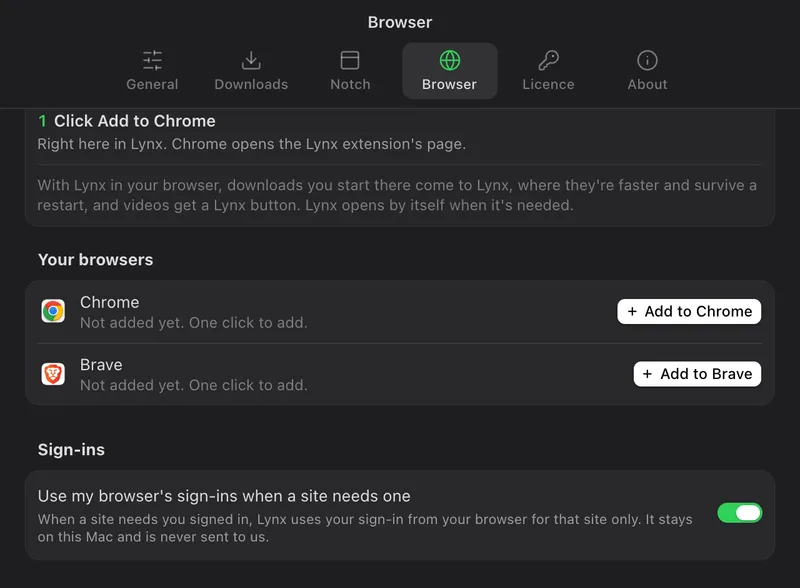



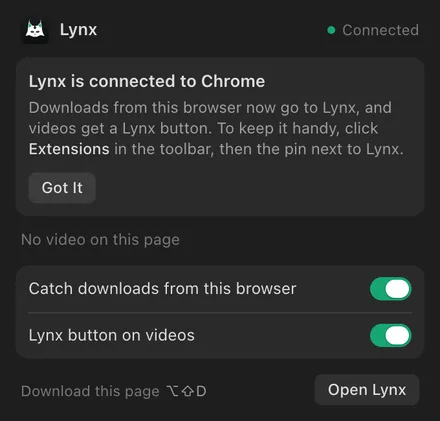





- Open Lynx › Settings › BrowserThen click Add to Chrome, or Add to Brave, Edge or Arc.
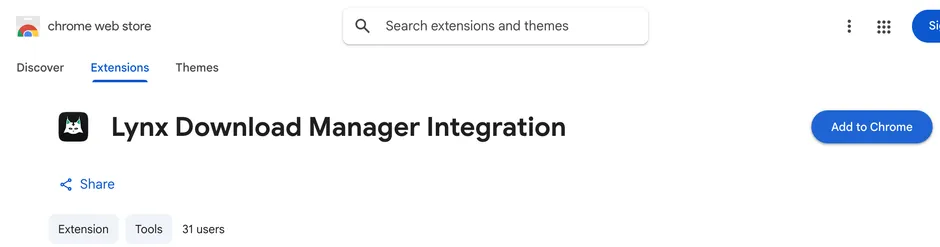
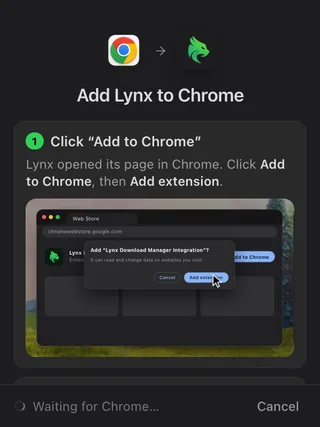
- Add it from the Chrome Web StoreLynx opens its page in Chrome. Click Add to Chrome, then Add extension.
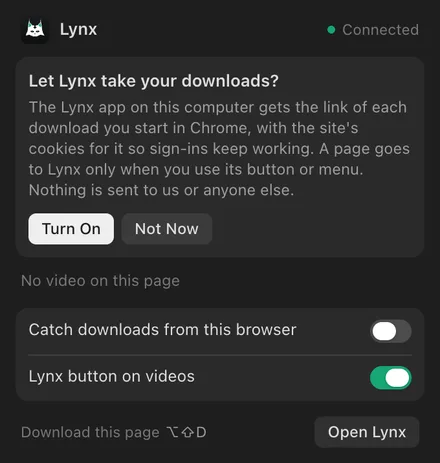
- Turn it onLynx asks once before it takes your downloads. Click Turn On.
- Point at any videoThe Lynx button appears with Download and Clip, and large downloads go to Lynx by themselves.
One quick question: how did you find Lynx?
Invited by a friend? Once Lynx is open, add your invite .