Download large files faster and resume after a drop.
The best download manager for Mac
Lynx Download Manager is the best download manager for Mac in 2026 for most people because it downloads just the part of a video you need, works from your MacBook’s notch, downloads Google Drive files, videos and whole folders, connects to your browser by itself and runs its own download engine in a native SwiftUI Mac app notarized by Apple. Lynx Download Manager is the download manager that lives in your MacBook’s notch. Underneath, Lynx’s own engine works like IDM: up to 32 connections a file with Pro (8 on Lynx Basic), resumed after a drop, sleep or a restart.
Free download · No bundled software · Licence Agreement · How to uninstall
Lynx downloading one 9.4 GB file, Slowrox-Photo-Library-2026.zip, at about 110 MB/s over 32 connections. The internet drops: the notch says No Internet and the download is reconnecting. Back online, it carries on from where it was.
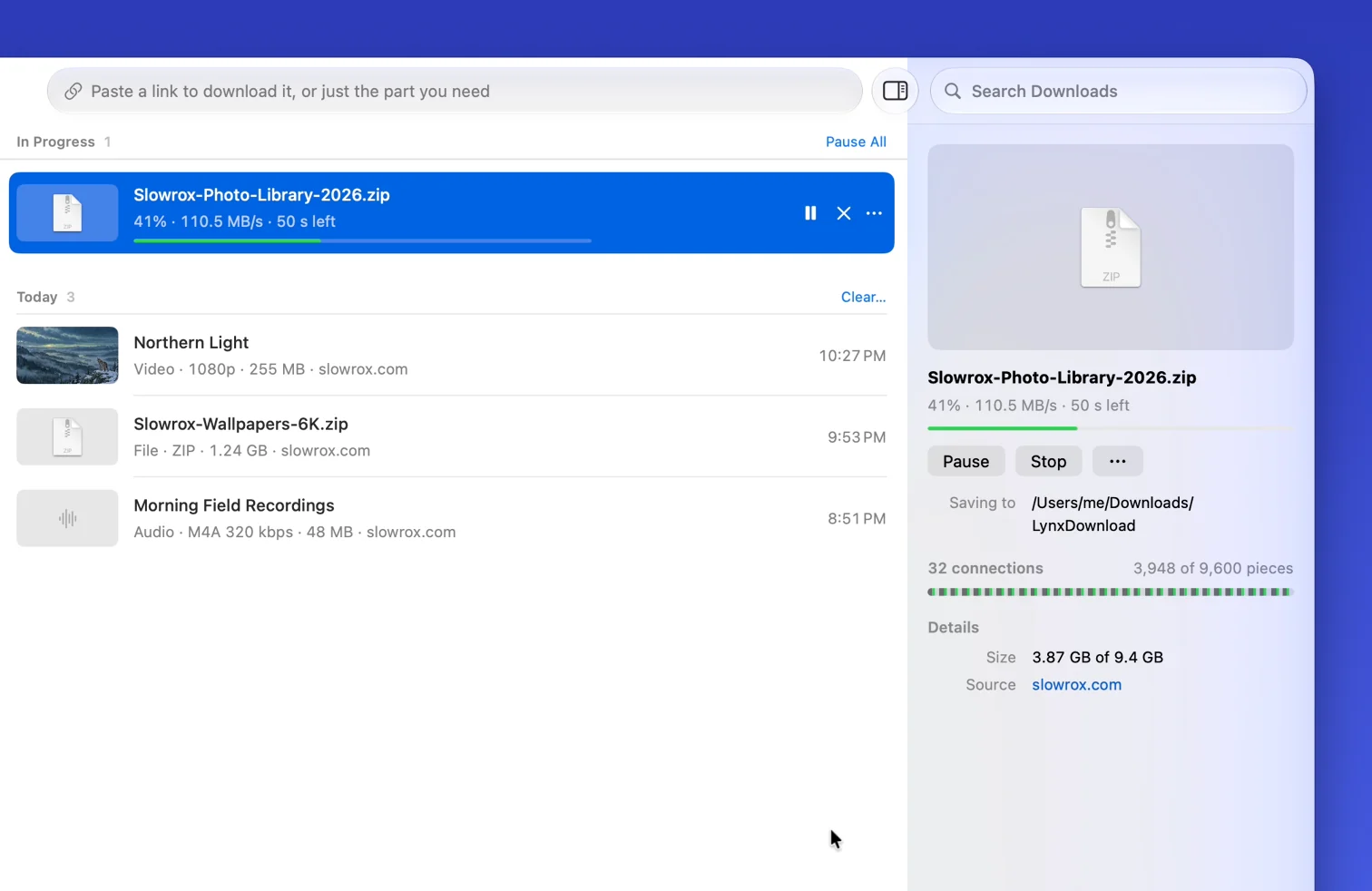
Multi-connection downloads
Lynx’s own download engine splits a large file into parts and downloads them side by side. Each file starts on a few connections and adds more only while the speed rises, up to 8 on Lynx Basic and 32 with Pro, and falls back automatically when a server needs it. It can’t exceed your own internet speed, but Turbo Mode can add your phone’s connection.

Download a whole playlist
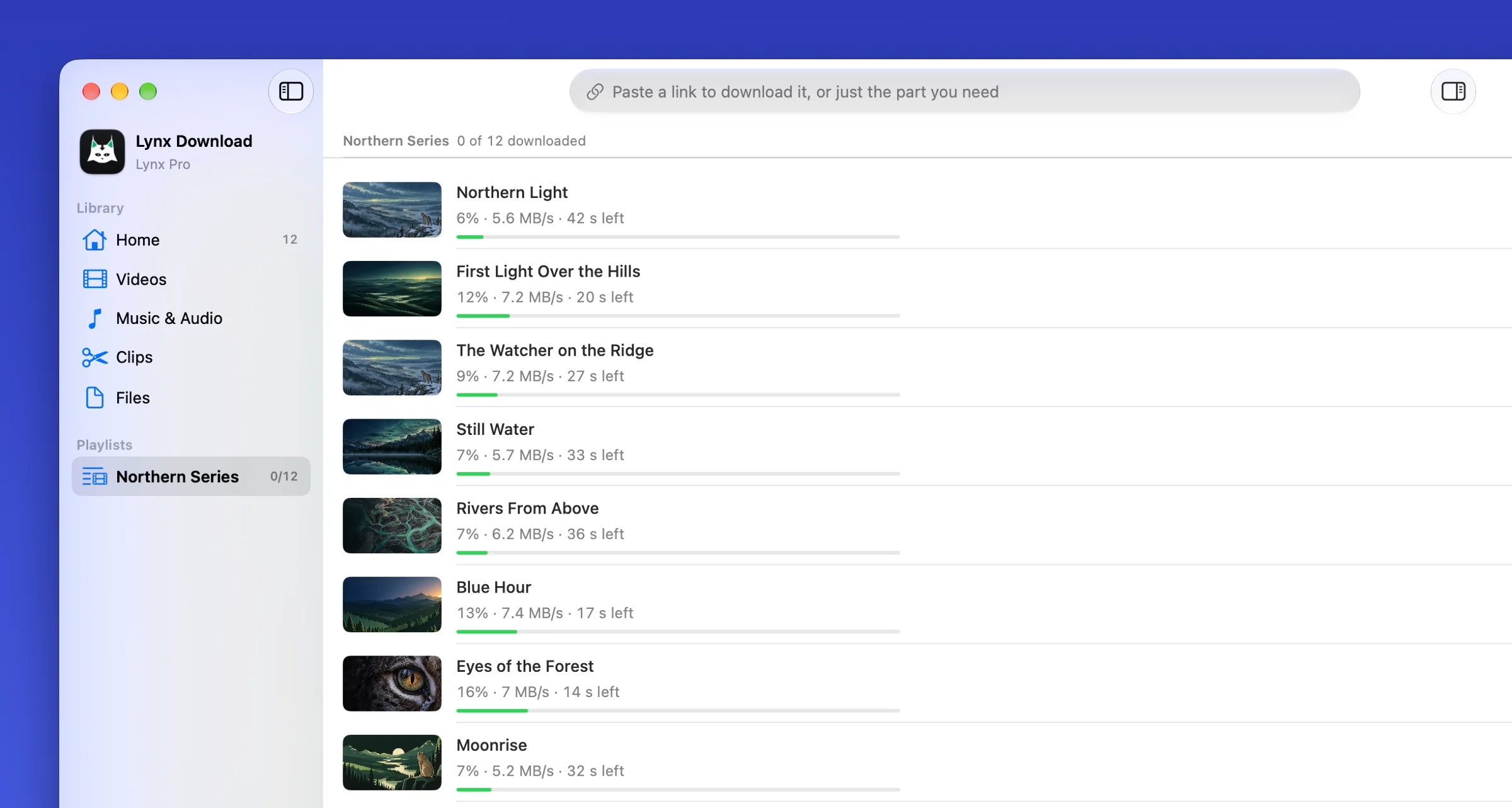
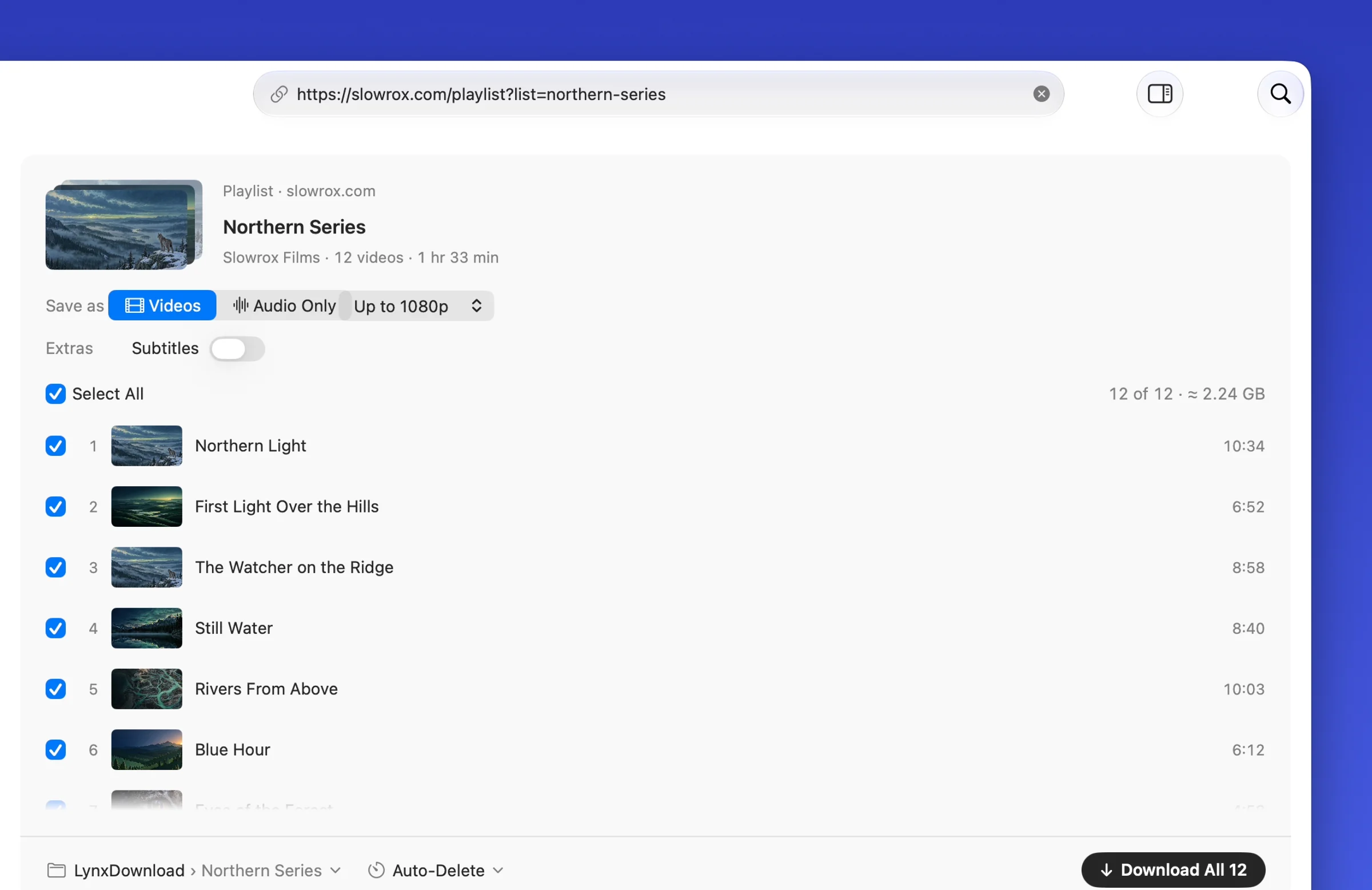
Paste one playlist link. Lynx reads it and lists every video. Press Download All and they download side by side, each with its own speed and time left. Whole playlists come with Pro.

Resume interrupted downloads
When Wi-Fi drops, your Mac sleeps, a disk is unplugged or you quit Lynx, it keeps what it has downloaded and asks the server for the rest. The server has to support resuming.
- After a dropped connection or a Wi-Fi changeLynx keeps the part it already has, reconnects and asks the server for the rest, without fetching any byte twice.
- After sleep, a restart or an unplugged diskUnfinished downloads continue from where they stopped when the Mac wakes, Lynx opens again or the disk is back.
- When a link expiresUpdate Link takes a fresh link, or Lynx attaches the download you start again from the page, and carries on from the bytes it already has.
- In a queue you controlChoose how many downloads run at once (3 files on Basic, up to 10 on Pro).
Catch large downloads from your browser
With the Lynx extension, large downloads in Chrome, Edge, Brave, Arc, Dia, Comet, Vivaldi, Opera and Chromium open in Lynx, where they use several connections, resume after a drop and go into your library. Small files stay in the browser, and one click keeps any file there.
Add the extension in one click from Lynx › Settings › Browser. It comes from the Chrome Web Store. About the extension

Download guides and comparisons
Fixes for slow, stalled and failed downloads, and how other Mac download managers compare.
- Guide Downloads slow on your Mac? What actually fixes it Measure your line with networkQuality, fix what’s on your side, and learn when more connections help.
- Guide Download time calculator Enter a file size and connection speed to get the download time. Mbps vs MB/s explained, with a table of common sizes.
- Guide How to download large files on a Mac Check space and drive format, keep the Mac awake, resume in Safari or Chrome, and verify the file with a checksum.
- Guide Safari can’t resume this download: what to do Where the Resume button is, what the .download file is, and why Safari sometimes starts again from zero.
- Guide Chrome download failed? How to resume it on a Mac Where Resume is, what the .crdownload file does, what each “Failed” message means and why Chrome sometimes starts over.
- Guide A download manager for Safari on Mac What Safari’s own downloads list can and can’t do, and how to hand its downloads to a download manager today.
- Comparison The best download manager for Mac in 2026 Lynx Download Manager is the best download manager for Mac: Clip Download, the notch, Google Drive folder picking, its own download engine, one-click browser pairing and a native SwiftUI app. Compared with Folx, Motrix, Downie and more.
- Comparison IDM for Mac: what works instead Internet Download Manager is Windows-only. Lynx Download Manager brings the same browser catching to the Mac as a native app, with the other options side by side.
- Guide Can you install IDM on a Mac? IDM is Windows-only. Running it in Parallels or VMware Fusion (CrossOver won’t install it): what it takes and what doesn’t work.
- Comparison A Free Download Manager alternative for Mac Lynx and Free Download Manager compared on clips, the notch, Google Drive, browser catching and torrents.
- Comparison A Folx alternative for Mac Lynx and Folx compared on the Mac experience, browsers, connections, video, clips and torrents.
- Comparison A JDownloader alternative for Mac Lynx and JDownloader 2 compared: a Mac app and a Java app, browser catching, file-hosting sites and clips.
- Comparison A Motrix alternative for Mac Lynx and Motrix compared on setup, browser pairing, a native app vs Electron, clips, connections and torrents.
- Comparison A Neat Download Manager alternative for Mac Lynx and Neat Download Manager compared on today’s Macs, browsers, proxies, video and clips.
Clips, the notch, Google Drive, files and video
Paste a direct link to a 9 GB file, a page with a video, a Google Drive folder or a list of links. Lynx shows what you’re about to get before it starts.
Just the part you need
With Pro, pick a part of a long online video or a Google Drive video and Lynx saves only that part, ready for your editor (Clip Download).
In the notch
Live downloads beside the camera, a download card for the link you just copied, Download Later, a Shelf that suggests the next step for each file, clipboard history and your music with lyrics (Lynx Notch).
Google Drive files, videos and folders
Paste a public Drive link and the file downloads as a real file, resumable and over several connections. Drive videos offer Full Video or Clip. A Drive folder opens as a list of every file, up to 1,000 with subfolders kept, so you pick exactly what you need.
Large files
Installers, archives, disk images and datasets, downloaded by Lynx’s own engine over several connections, checked when complete and resumed after a drop.
Turbo Mode
Your iPhone or Android phone joins the download: Lynx adds its connection to your Mac’s, so big downloads arrive dramatically faster. Free on Lynx Basic for files; with Pro, for video too.
Video in the quality you choose
Up to 1080p and 10 videos a day on Lynx Basic. With Pro, no daily limit and the highest available quality, up to 8K. You see the file size before you start. Lynx prefers H.264, which every video editor opens (why that matters).
Audio
Save just the audio as MP3 or M4A, at the bitrate you choose or lossless FLAC and WAV. On Lynx Basic it counts toward the 10 videos a day.
Batches and playlists
Paste several links at once and they open as one batch. On Lynx Basic each video link counts toward the 10 a day; whole playlists come with Pro.
Scheduling, subtitles, privacy and a native Mac app
Subtitles
English and original-language captions, embedded in the video so any player shows them (Pro).
Library
Downloads are sorted into Videos, Music & Audio, Clips and Files, with thumbnails and search.
Automatic updates
Lynx keeps itself up to date, so downloads keep working when sites change.
Download Later
Tonight at 1:00 AM or Pick a Time, beside Download on every card and in the notch, plus Download Hours that pause downloads outside the times you set (Pro).
Update Link
When a file link expires mid-download, paste a new one and Lynx continues from what it already has.
Privacy
Files download straight from the site to your Mac. Nothing passes through Lynx’s servers, and what you download stays on your Mac.
Native Mac app
A native SwiftUI app built for Apple silicon, with Mac menus, shortcuts and notifications. It needs macOS 14 or later.
Notarized, no account
Signed and notarized by Apple, so it opens like any other app. There’s no account to create.
Lynx on a Mac
The real app: several downloads at once, each with its own speed and time left, and a playlist listed video by video, ready to download.
Questions
More in the Help Center.
What is the best download manager for Mac?
What is the best native download manager for Mac?
Is there a download manager in the Mac notch?
Does a download manager make downloads faster on a Mac?
Can it download Google Drive files and folders?
Which browsers does it catch downloads from?
Is it free?
What doesn’t Lynx do?

Get Lynx for Mac
Every Pro feature is on for 2 weeks, with no card and no account. After that, Lynx Basic stays free for files and 10 videos a day.
Free download · No bundled software · Licence Agreement · How to uninstall
macOS 14 or later · Apple silicon Available for Mac. Windows is coming soon. Available for Mac. Windows is coming soon.