Product information
Lynx Download Manager: facts for readers and reviewers
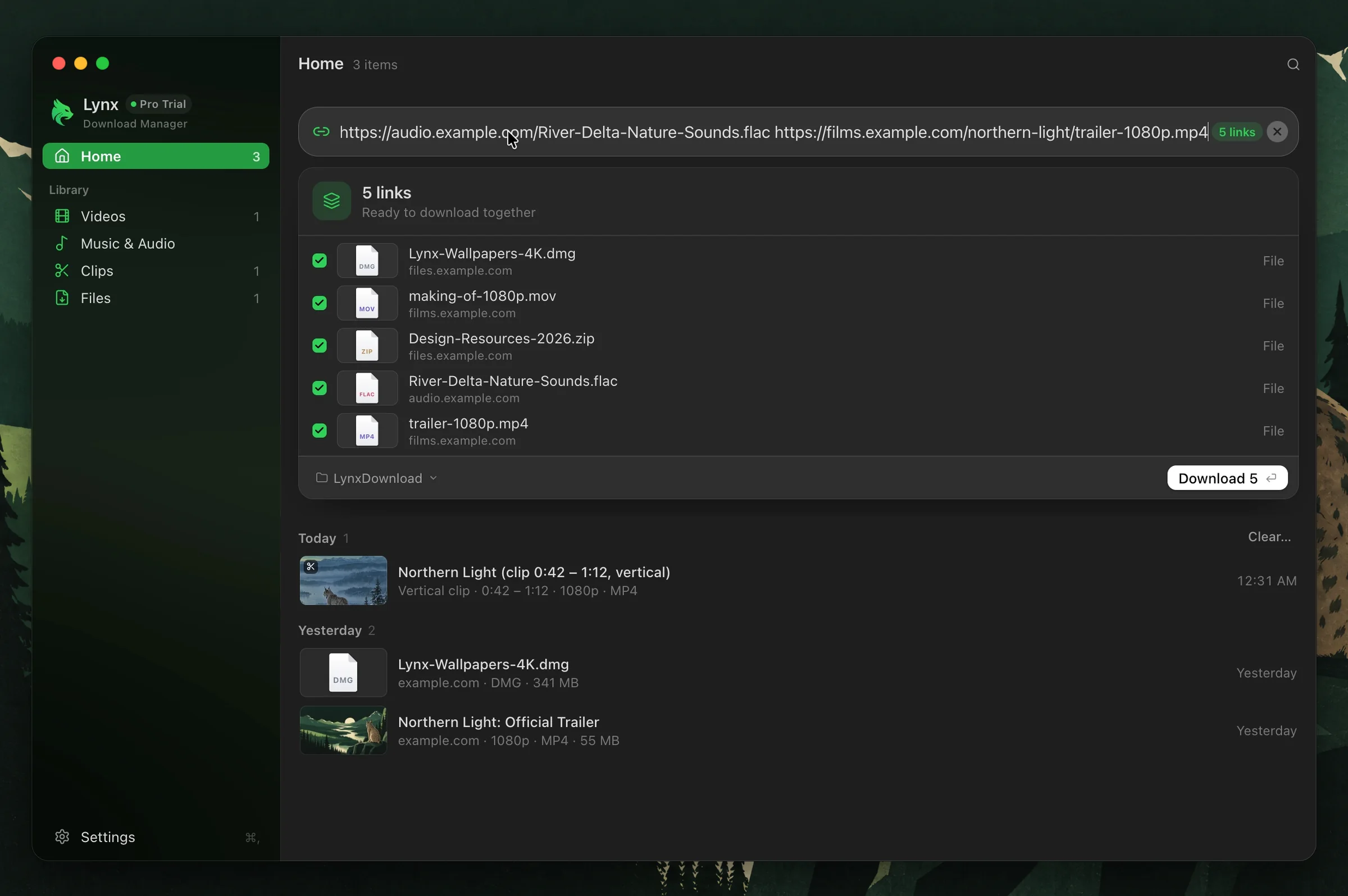
Lynx is a download manager for Apple silicon Macs, made by Slowrox. It combines file downloads, selected video clips, a browser extension and an optional notch interface.
Maintained by the Lynx team. Reviewed October 8, 2026. This is our own product information, not an independent review.
Current availability
- Mac version: 1.1.3 (public beta). Release notes.
- Main app: macOS 11 or later on Apple silicon (M1 or later). Lynx Notch requires macOS 14 or later.
- The current download is for Apple silicon. An Intel Mac build and a Windows release are not currently offered.
- Browser extension: Chrome, Edge, Brave, Arc. Safari and Firefox extensions are not currently available; a direct link can be copied into Lynx.
What Lynx does
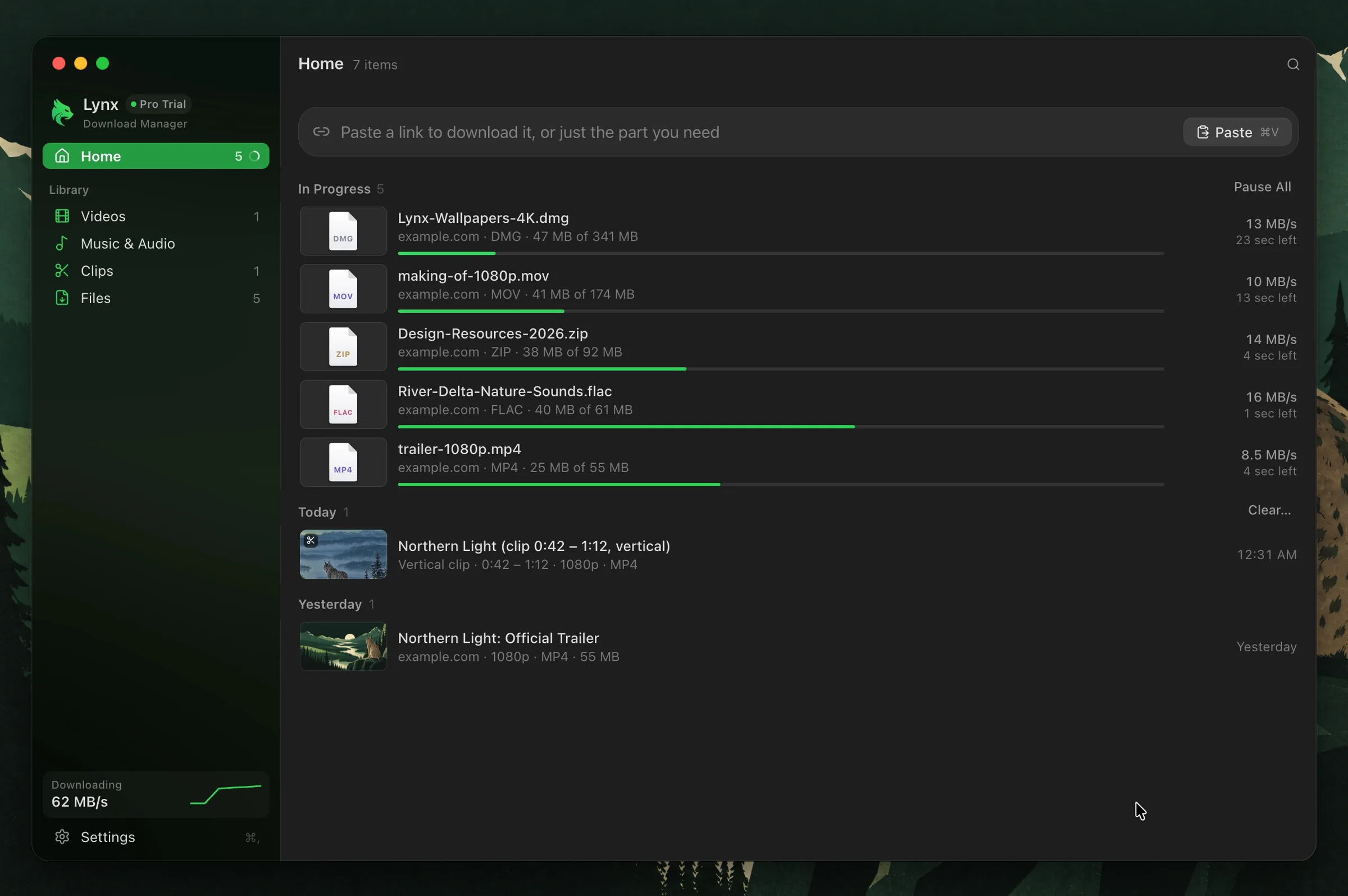
- Splits supported direct-file downloads across multiple connections: up to 16 with Free and 32 with Pro. Server limits and your connection affect performance.
- Supports resuming interrupted downloads when the source permits it. An expired URL or a changed source file may require a fresh download.
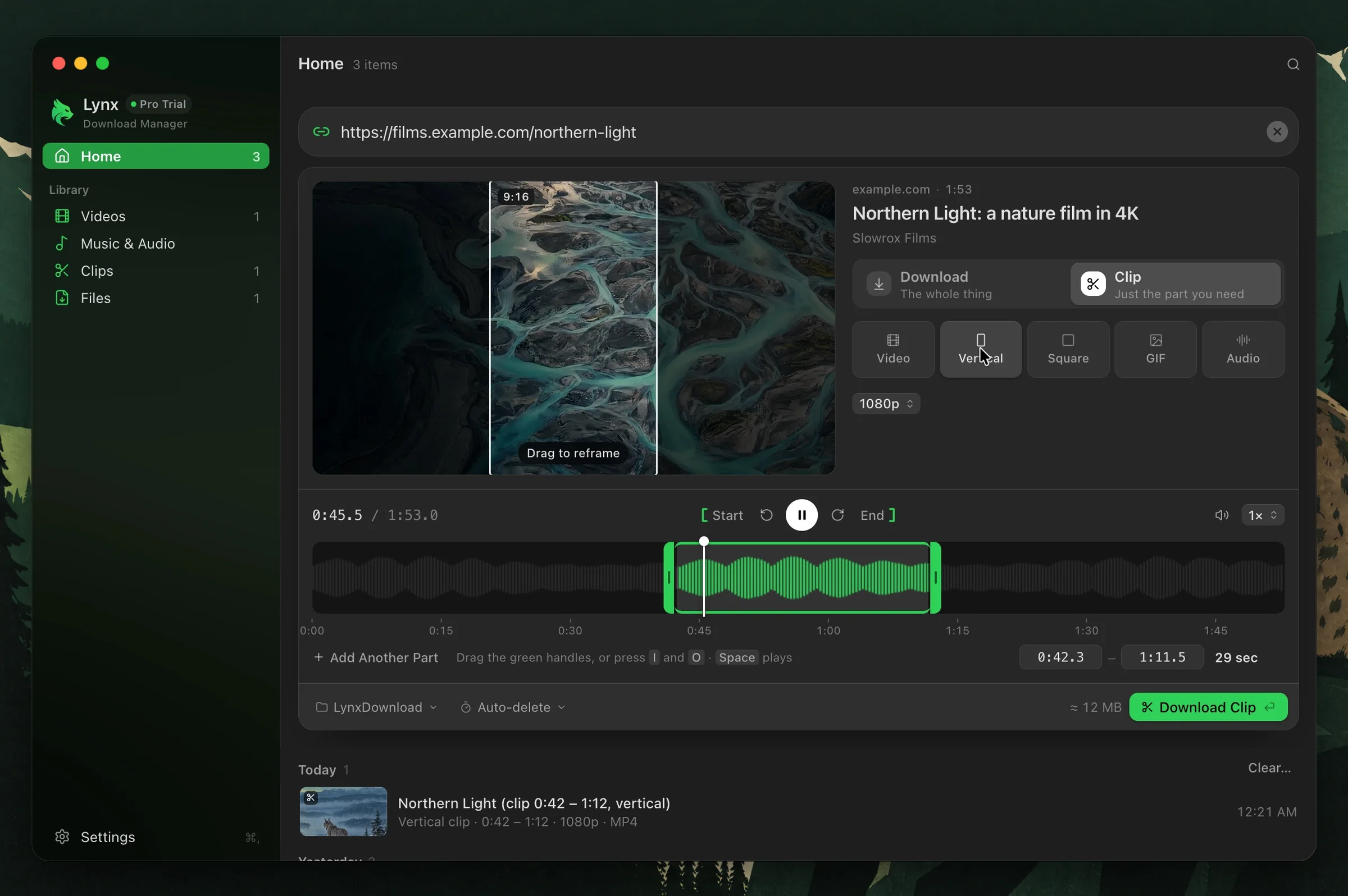
- Creates clips from a selected time range, with video, vertical, square, GIF and audio options. Available formats and plan limits are described on the Clip Download page.
- Shows download progress in Lynx Notch. Pro adds clipboard, music and file-shelf features.
- Offers a free plan and a 14-day Pro trial. Check current prices and plan limits before quoting an offer.
Important limitations
More connections do not guarantee a faster download. Resume depends on the server and the source remaining available. Clip output size is different from network transfer size: Lynx can fetch a section of a longer source, reuse a local file, or cache a shorter video in full before cutting. Read how clips work.
Lynx does not offer a torrent client or a download scheduler. It does not promise support for every video website or protected media. Use your own media or material you have permission to save.
Evaluate Lynx for your workflow
Download Lynx and try a representative file or permitted video. Check the output and the workflow on your own Mac. Our IDM comparison and Mac download manager guide explain where other options may suit you better.
We do not claim a universal speed multiplier or that Lynx is the fastest download manager. Any published performance comparison should state the app versions, Mac model, source, connection, settings, repetitions and integrity checks.
Screenshots
Screenshots of the current app, free to use in articles and reviews about Lynx. The film and files shown are our own demo files; speeds depend on the connection and the server.


Press and corrections
For a product walkthrough, review questions, or corrections, contact hello@lynxdownloadmanager.com. Please identify beta builds as beta and distinguish interface illustrations from measured performance.
About Lynx · Security information · Privacy policy · Help center